
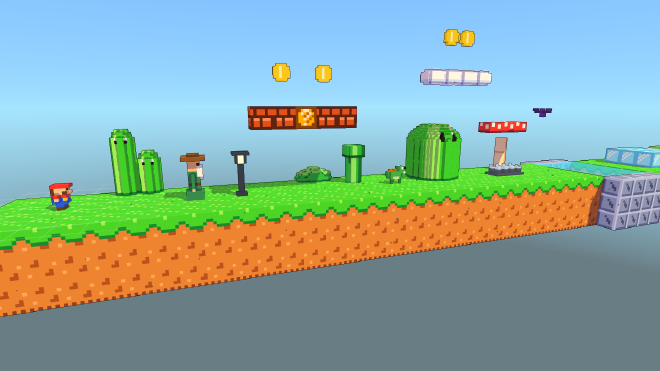
Voxbit is a small engine and editor for 3D platformers made out of voxels. The idea is pixel art, but in 3D: every block is a tiny 8×8×8 voxel model, and the characters, enemies and items are voxel sprites with their own states and animations. You can build levels right in the browser and play them straight away.
Open the Voxbit editorBuilding levels#
The map editor works like a mix of a level editor and a paint program. You pick blocks, smart blocks or sprites from the palette and place them with the mouse or with the keyboard (WASD moves a cursor and Enter places). Smart blocks work like a 3D version of 9-slicing: they pick the right grass edge, corner or bottom piece depending on their neighbours, so a platform looks finished the moment you draw it.
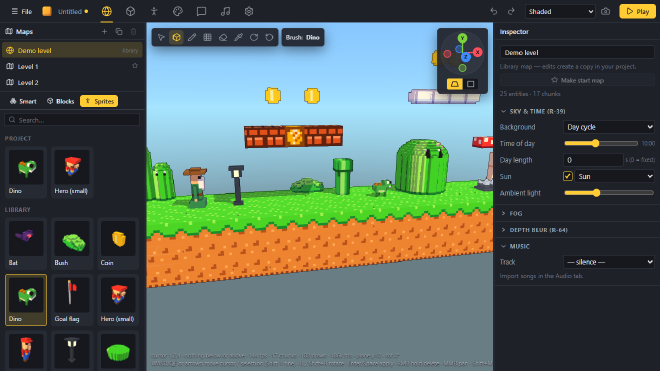
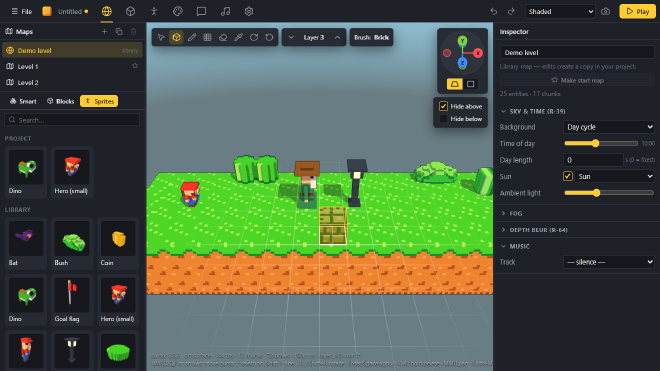
For more complex levels there is a layer mode. The cursor then stays on one height, and everything above (or below) the current layer can be cut away, so you look straight onto the layer you are building on. A Blender-style gizmo switches between the axis views, for example a flat orthographic side view of a side scroller.
Voxel models and sprites#
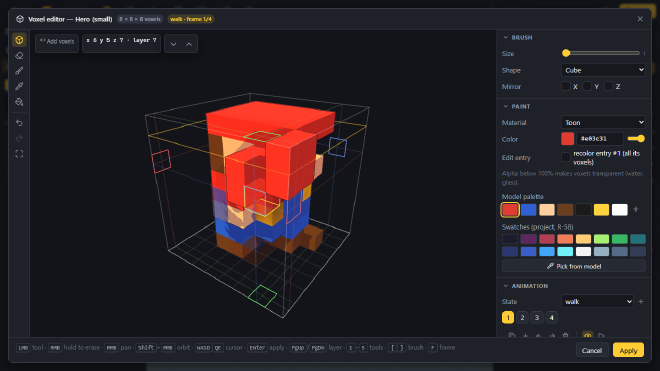
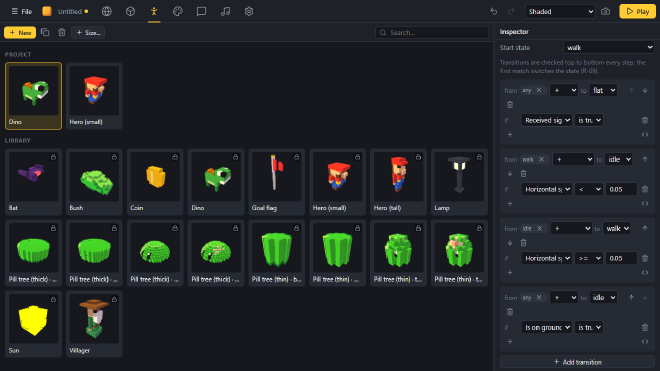
Every block and sprite can be opened in the voxel editor. It has brushes, mirroring, a colour palette, onion skinning and a timeline for animation frames. Sprites also get a state machine: the transitions are conditions like is on ground or horizontal speed > 0.05, and you click them together without writing code.
Playing#
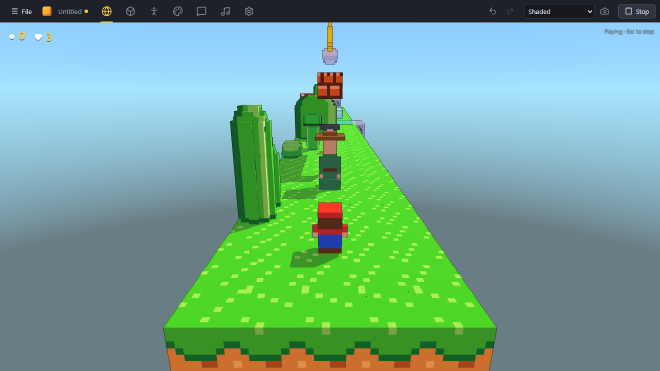
The Play button starts the level inside the editor. The game side has the usual platformer parts: coyote time and jump buffering, one-way platforms, ladders, water, enemies you can stomp, coins, dialogs with NPCs and save games. Levels can be played as a side scroller or with a third-person camera that you can steer, in the vein of the 3D Mario games.
Under the hood#
Voxbit is written in TypeScript and renders with WebGPU. The game logic runs on an entity component system, and the terrain is split into chunks that are meshed in web workers, with ambient occlusion and levels of detail. The renderer has cascaded shadow maps, a day cycle for the sky and the sun, ink outlines and depth of field. The editor is a Preact app and can also be built as a desktop app with Tauri.
Try it#
The editor runs completely in your browser. It needs WebGPU, which works in current versions of Chrome and Edge (and in newer Firefox and Safari versions). Your projects are stored in the browser, and you can export them as a bundle file from the File menu.
Open the Voxbit editor